Shared or 1:1 devices? How MDM handles each
Class sets on a trolley, or one device per pupil? What Apple, Google and Microsoft each offer for shared devices, and what changes when devices go home.
Checked 6 November 2026
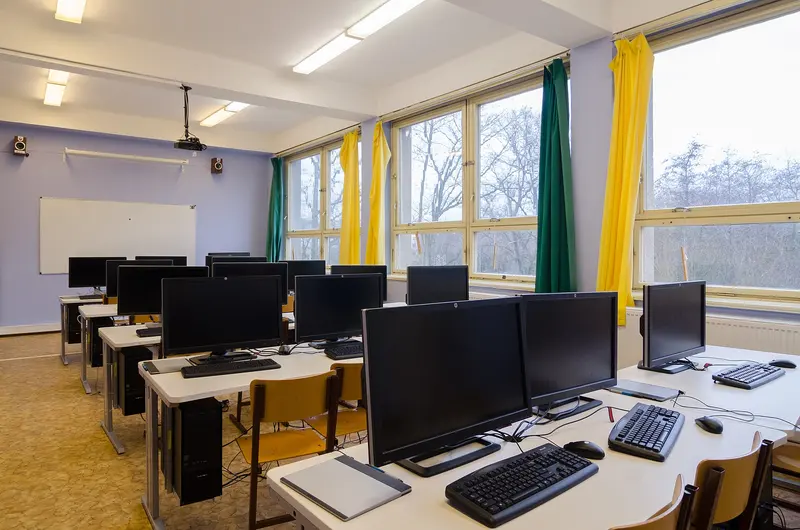
Schools usually run devices in one of two ways, or a mix:
- Shared devices — a class set kept in a trolley or cabinet and handed out for lessons. Different pupils use the same device during the day.
- 1:1 devices — each pupil (or member of staff) has their own device, sometimes taking it home.
Neither is “right”. The DfE devices standard asks senior leaders to look at how devices are being used — who uses them, where they are kept and what they are used for — before deciding how many and what type are needed. Here is how the management side differs.
Shared devices by platform
iPad: Shared iPad. Apple’s Shared iPad lets several pupils sign in to the same iPad with their own Managed Apple Account, with their work kept separate. Apple says it needs a device management service, Managed Apple Accounts, supervised iPads and at least 32GB of storage. Apple also mentions that with the Classroom app, sign-ins can be faster because pupils can be returned to an iPad they used before. A Temporary Session lets anyone use the iPad as a guest; Apple says all their data is deleted when they sign out. More in Apple School Manager and MDM.
Chromebook: sign-in plus ephemeral mode. Chromebooks are designed around users signing in. Google’s ephemeral mode marks each profile for deletion after the user signs out, reducing what is left on a shared device, and Google recommends Chrome sync so that work isn’t lost. See Managing Chromebooks.
Windows: Shared PC. Microsoft’s Shared PC feature can delete user profiles automatically, offers a Guest option and a Kiosk mode (Microsoft gives school test taking as an example), and is designed to run maintenance while the device sleeps. Intune for Education can target different apps and settings to different students on the same device. See Intune for Education.
What changes with 1:1 and take-home
When a device belongs to one pupil, the asset register can record who it is assigned to — the DfE governance standard lists “who it is assigned to” and “where it is” among the register’s details. Some things need extra thought:
- Filtering off site. The DfE filtering standard says filtering should apply to school-managed devices including those taken off site, and checks should cover devices “even if they are taken home”.
- Data protection. The DfE devices standard says the DPIA should assess the risk of taking school-owned devices off site.
- Monitoring notices. Users should know monitoring is in place; on supervised Apple devices, Settings tells them so.
- Loss and damage. MDM lock and wipe matter more once devices travel. Cases and locks help too.
Bring your own device (BYOD)
If staff or pupils use their own devices on the school network, the DfE filtering standard says filtering should still apply to unmanaged devices under a BYOD scheme, and that devices that aren’t school-managed should be on a separate virtual network. Apple’s account-driven User Enrolment is designed for personal devices, keeping a Managed Apple Account and a personal Apple Account separate on the same device.
KCSIE 2026 separately says all schools should be mobile phone-free environments by default — that is about pupils’ own phones, not school-managed devices.
Kit that suits each model
| Shared class sets | 1:1 and take-home | |
|---|---|---|
| Storage and charging | Charging trolleys and cabinets with baskets or numbered slots | Chargers at home; a cabinet for spares |
| Protection | Hard-wearing cases that fit the trolley bays | A case with a handle or keyboard; locks for staff laptops |
| Audio | Durable headphones with spare parts | The pupil’s own headset |
| Tracking | Numbered asset labels on device, charger and case | Labels plus the pupil’s name in the register |
You can also browse kit for shared class sets and kit for 1:1 devices.
Questions to decide
- Which year groups need devices every lesson, and which only sometimes?
- Will devices go home? If so, how will filtering, monitoring, insurance and charging work?
- How will pupils sign in — Managed Apple Accounts, Google accounts or Microsoft accounts — and are younger pupils able to manage passwords? The DfE cyber standard suggests considering other ways of logging on, such as a PIN, for younger children or pupils with SEND.
- Who hands devices out, collects them and checks they are charged?
Sources
- DfE: Laptops, desktops and tablets standard (updated 16 January 2024) (checked 6 November 2026)
- DfE: Filtering and monitoring core standard (updated 16 September 2026) (checked 6 November 2026)
- DfE: Digital leadership and governance core standard (checked 6 November 2026)
- DfE: Cyber security core standard (updated 16 September 2026) (checked 6 November 2026)
- DfE: Keeping children safe in education 2026 (statutory guidance) (checked 6 November 2026)
- Apple: Shared iPad overview (checked 6 November 2026)
- Apple: Device workflow in Apple School Manager (checked 6 November 2026)
- Google: Ephemeral mode (checked 6 November 2026)
- Microsoft Learn: Manage multi-user and guest Windows devices with Shared PC (checked 6 November 2026)
- Microsoft Learn: What is Intune for Education? (checked 6 November 2026)
Checked 6 November 2026. This guide is general information, not legal, safeguarding or procurement advice. Official guidance changes, so check the sources before you act.