Charging trolleys and cabinets: what to check
Capacity with cases, mains or USB-C charging, power management, ventilation, locks and cable tidiness — plus what HSE says about portable appliance testing and what the DfE says about switching devices off.
Checked 6 November 2026
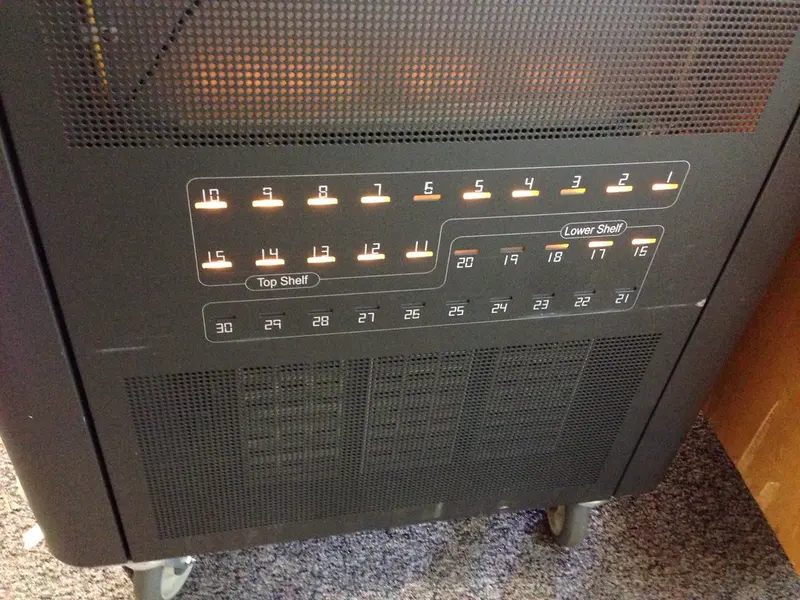
A shared class set needs somewhere to live, charge and be locked away. The options range from a small wall cabinet for ten iPads to a trolley for forty laptops. This guide covers what to compare, using the makers’ own specifications as examples. We haven’t tested any of these units.
1. Capacity — with the cases on
Makers quote the number of bays and the largest device each bay takes. Check that against your devices in their cases, because rugged cases add bulk.
- Zioxi says its iPad USB-C wall cabinet takes iPads and tablets with screens up to 11 inches, with shelf spacing for standard and many rugged cases — and asks buyers to check the shelf aperture sizes.
- Leba says its NoteCart UniFit comes in versions for 12, 16, 24, 30 or 32 laptops or Chromebooks (up to 17 inches).
- LocknCharge says its Carrier and Joey units take devices “with or without cases”, and include racks for larger devices or thicker cases.
2. How devices charge
There are two broad approaches:
- Mains sockets inside the unit, so each device uses its own charger (power brick). This suits mixed fleets and laptops, but means storing and managing lots of chargers.
- Built-in USB-C, usually USB-C Power Delivery (PD), so there are no bricks. Check the watts per port against what your devices need. For example, LocknCharge quotes up to 18W per port on its Putnam USB-C stations and 30W per port on its iQ 10, and Zioxi quotes 20W per port on its USB-C module. Laptops generally need more power than tablets, so check the device maker’s charger rating.
3. Power management and protection
Charging lots of devices at once draws a lot of current. Makers handle this in different ways:
- LocknCharge says its ECO Safe Charge system stages the availability of power and stops devices being overcharged;
- LapSafe says ChargeLite has soft-start, surge and residual voltage protection;
- LocknCharge says each Putnam port has protection circuitry that turns the port off if it gets too hot.
Follow the maker’s instructions on how many units can share one socket or circuit; if in doubt, ask whoever manages your school’s electrical installation.
4. Heat and ventilation
Devices and chargers get warm. Look for ventilation in the specification — Leba says its NoteCart UniFit has a permanently installed fan; LapSafe lists in-built ventilation for ChargeLite; and keep vents clear when positioning the unit.
5. Locks and access
Options include padlocks, built-in combination padlocks, key locks, digital code locks and RFID. LocknCharge says the Joey can also be anchored to the floor with an optional kit. Think about who needs to open the unit at the start of the day, how codes or keys are managed, and whether IT needs a separate access panel for the chargers — LapSafe lists a separate admin access door.
6. Handing out and putting back
Small details save lesson time. LocknCharge’s top-loading trolleys use baskets of five devices so several pupils can collect or return them at once. Numbered slots (and matching asset labels) show at a glance which device is missing, and charging lights that you can see with the door shut — LocknCharge says Putnam has them — show whether devices were plugged in.
7. Keeping cables tidy
Look for a way to stop cables disappearing: Zioxi describes cable ports that keep only a short length of USB cable at each shelf, and LocknCharge describes a rubber channel that holds cables in place. Hook-and-loop ties and labels on each charger help too — see cable management.
Electrical safety checks
The Health and Safety Executive (HSE) says the law requires employers to maintain electrical equipment so it doesn’t cause danger, but does not require portable appliances to be tested every year. It recommends a risk-based approach: simple user checks and visual inspections find most faults, and testing frequency depends on the type of equipment and how it is used. HSE also says new equipment should be supplied safe and doesn’t need a formal test, though a quick visual check for damage is recommended. Equipment that is moved around a lot may need checking more often — which may apply to a trolley wheeled between rooms.
Switching off — or sleeping
The DfE devices standard asks schools to make sure devices are switched off when not in use and power off automatically out of hours. Microsoft’s Shared PC guidance, though, says shared Windows devices should be put to sleep rather than shut down, so they can wake up for maintenance and updates. Agree a routine with your IT support that balances the two — for example, scheduled update windows followed by automatic power-off.
Before you buy
- Count devices and spares, then add growth.
- Measure doorways and lift sizes for trolleys, and walls for cabinets.
- Ask how chargers or cables are replaced when they fail.
- Check warranty terms on the maker’s site.
Browse charging trolleys and cabinets. Many of these units are sold through education resellers rather than Amazon, so the Amazon links may show similar products instead.
Sources
- Zioxi: iPad USB-C wall charging cabinet (checked 6 November 2026)
- Leba Innovation: NoteCart UniFit (checked 6 November 2026)
- LocknCharge: Putnam USB-C PD charging stations (checked 6 November 2026)
- LocknCharge: iQ 10 USB-C PD charging station (checked 6 November 2026)
- LocknCharge: Joey charging trolleys (checked 6 November 2026)
- LapSafe: ChargeLite range (checked 6 November 2026)
- HSE: Portable appliance testing (PAT) FAQs (checked 6 November 2026)
- DfE: Laptops, desktops and tablets standard (updated 16 January 2024) (checked 6 November 2026)
- Microsoft Learn: Manage multi-user and guest Windows devices with Shared PC (checked 6 November 2026)
Checked 6 November 2026. This guide is general information, not legal, safeguarding or procurement advice. Official guidance changes, so check the sources before you act.